

Bible Tabs

Every passage, one tap away.

Bible Tabs works like your browser. Open passages in tabs, group them, and switch between them as you study.

Download on the App StoreGet it on Google Play

Tabs

A tab for every passage.

Open as many passages as you need. Each tab keeps its place and its translation, so you can leave and come back.

  • Group tabs for a study, a sermon or a reading plan
  • Swipe between chapters without leaving the tab
  • Your tabs are still there when you reopen the app
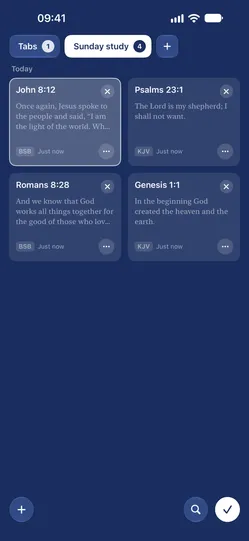
The tabs screen, showing the four tabs in a group as cards
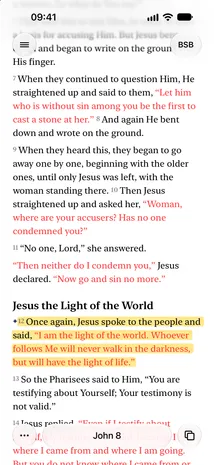
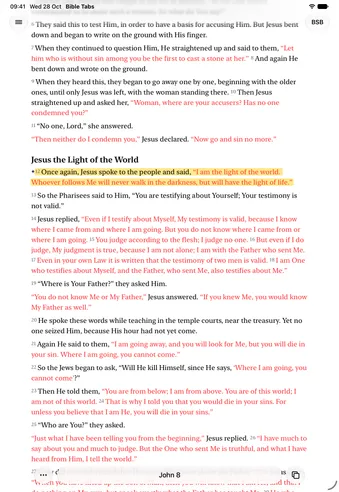
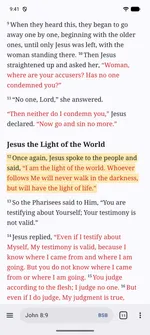
Reading John 8

Cross-references

Follow a thread through Scripture.

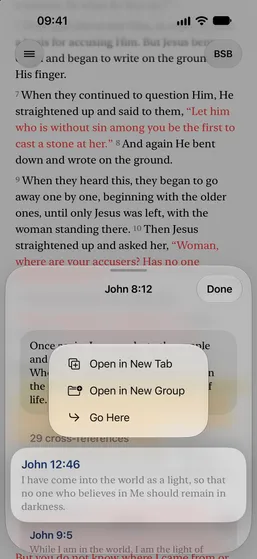
Tap a verse to see the passages linked to it. Open one in a new tab or a new group, or go straight to it.

Cross-references for John 8:12

Explain

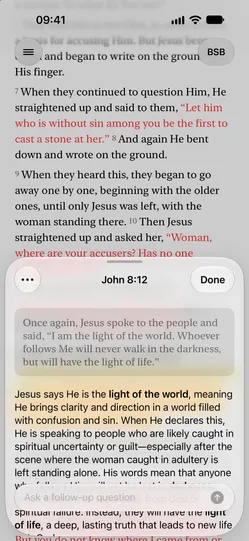
Ask what a verse means.

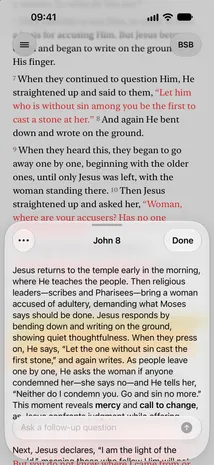
Explain a verse or a whole chapter, then ask follow-up questions in your own words. It runs on your device, on phones and tablets that support it, so your questions stay with you.

  • Explanations are saved, so you can reopen them later
  • Uses Apple Intelligence or Gemini Nano, where available
An explanation of John 8:12, with a box for a follow-up question
An explanation of John 8

Notes and highlights

Write it down. Mark it.

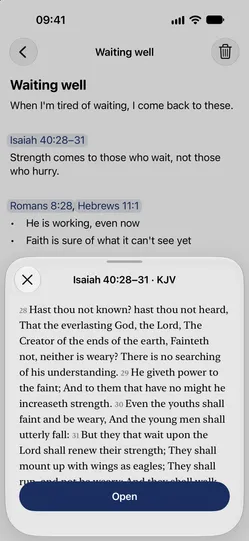
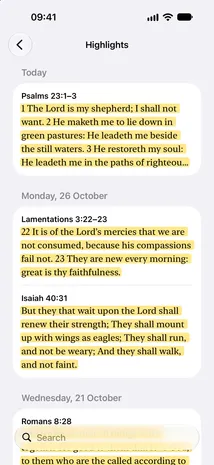
Write notes with the verses in them, and tap a verse to read it. Highlight verses, and find them again by the day you marked them.

A note with links to Isaiah 40, Romans 8:28 and Hebrews 11:1, with Isaiah 40:28–31 open below it
Highlights, listed by the day they were made

Verse of the day

A verse for today.

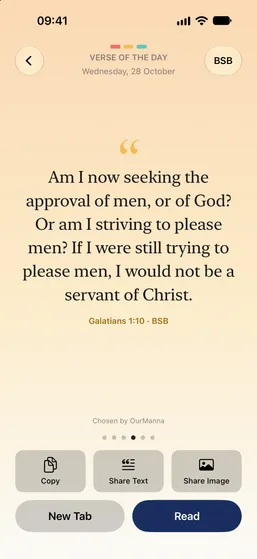
Read it in your translation, choose one of six styles, and share it as a picture.

  • Open it in a new tab to read around it
  • An optional daily reminder
The verse of the day, Galatians 1:10, on a warm sunrise background

Reading history

See where you’ve been reading.

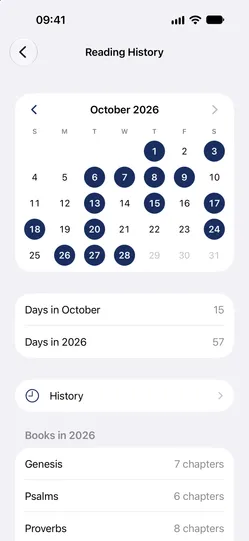
The days you opened the Bible and the books you read. It stays on your device.

  • Every chapter you’ve opened, and the days you read
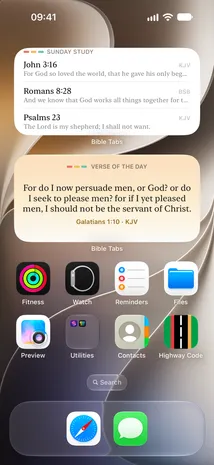
  • Widgets for today’s verse and for picking up where you left off
  • Each December, Bible Tabs Wrapped looks back at your year
Reading History, with the days read in October marked on a calendar
The Continue Reading and Verse of the Day widgets on the Home Screen

Translations

Read in your language.

The King James Version and Berean Standard Bible are built in. Download 26 more in 13 languages, and give each tab its own.

  • English
  • Español
  • Français
  • Português
  • Deutsch
  • Italiano
  • Nederlands
  • Русский
  • 中文
  • Tiếng Việt
  • العربية
  • עברית
  • Latina

Also in Bible Tabs

Search

Find any word or phrase in the translation you’re reading.

Verse pictures

Pick any verses and share them as a picture, in one of six styles.

Support it

Everything is free. If it helps you, you can give to keep it going, and get a supporter badge for a month.

Words of Jesus in red

Turn red letters on or off in settings.

Easy on the eyes

Choose the text size, and light or dark.

Works offline

Downloaded translations, notes and explanations don’t need a connection.

On iPhone, iPad and Android.

Made for your phone, with more room to read on iPad.

Reading John 8 on iPad
Reading John 8 on an Android phone

Open your first tab.

Download on the App StoreGet it on Google Play

No account needed. Your tabs, notes, highlights and reading history stay on your device. Privacy policy